Appearance
Integrations
The Integrations page of My Relewise allows you to track the different types of entity integrations that are being sent to your dataset. This gives you an overview of the number of entities, sorted by type, that exist on your dataset and lets you track the progress of entity updates and administrative actions happening in real time. Note that this page only concerns itself with entities; for user behavior tracking, see our Behavioral Trackings page.
The top of the Integrations page displays different information pertaining to the entity data stored in Relewise, as well as the various API calls being performed.
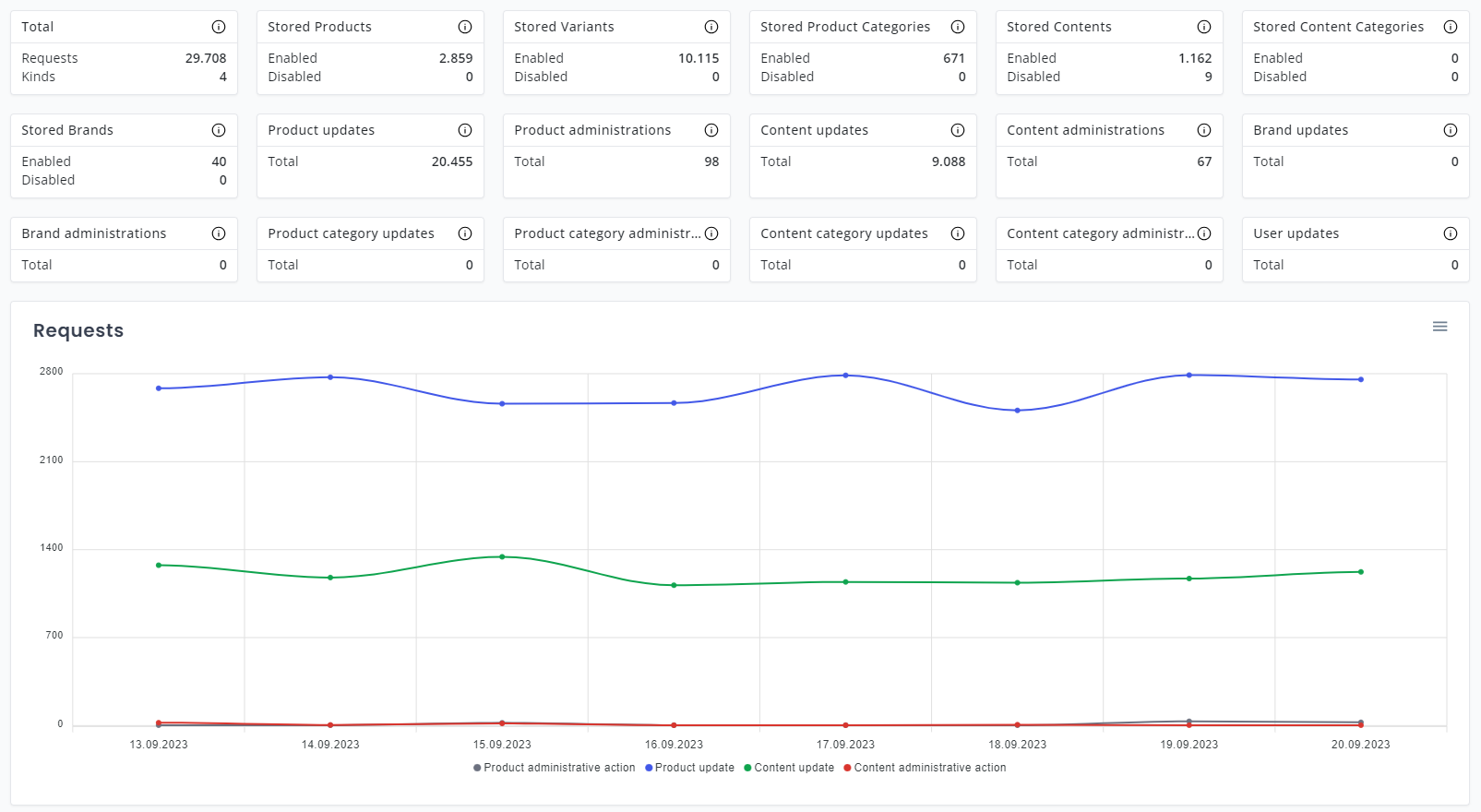
Tracking API Calls
The following entities are tracked by My Relewise:
| Type | Description |
|---|---|
| Stored Products | Tracks the number of Products currently stored in Relewise. |
| Stored Variants | Tracks the number of Variants currently stored in Relewise. |
| Stored Product Categories | Tracks the number of Product Categories currently stored in Relewise. |
| Stored Brands | Tracks the number of Brands currently stored in Relewise. |
| Stored Content | Tracks the number of Content currently stored in Relewise. |
| Stored Content Categories | Tracks the number of Content Categories currently stored in Relewise. |
| Stored Companies | Tracks the number of Companies currently stored in Relewise. |
| Stored Display Ad Templates | Tracks the number of Display Ad Templates currently stored in Relewise. |
| Stored Display Ads | Tracks the number of Display Ads currently stored in Relewise. |
The following API calls list the entity-level requests in your dataset, including queries, updates, and administrative actions.
| Type | Description |
|---|---|
| Product Queries | Tracks the number of ProductQuery requests made to read Product data in Relewise. |
| Product Updates | Tracks the number of product updates done via the TrackProductUpdate request. This tracking request type is used to add and update products in Relewise. |
| Product Administrations | Tracks the number of product administrative actions done via the TrackProductAdministrativeAction request. This tracking request type is used to disable, enable, and delete products in Relewise. |
| Product Engagements | Tracks favorites and sentiment on products and product variants through engagement integration events. See User Engagement for how to track and view this data. |
| Product Category Queries | Tracks the number of ProductCategoryQuery requests made to read Product Category data in Relewise. |
| Product Category Updates | Tracks the number of product category updates done via the TrackProductCategoryUpdate request. This tracking request type is used to add and update product categories to Relewise. |
| Product Category Administrations | Tracks the number of product category administrative actions done via the TrackProductCategoryAdministrativeAction request. This tracking request type is used to disable, enable, or delete product categories to Relewise. |
| Content Queries | Tracks the number of ContentQuery requests made to read Content data in Relewise. |
| Content Updates | Tracks the number of content updates done via the TrackContentUpdate request. This tracking request type is used to add and update content data in Relewise. |
| Content Administrations | Tracks the number of content administrative actions done via the TrackContentAdministrativeAction request. This tracking request type is used to disable, enable, and delete content data in Relewise. |
| Content Engagements | Tracks favorites and sentiment on content through engagement integration events. See User Engagement for how to track and view this data. |
| Content Category Queries | Tracks the number of ContentCategoryQuery requests made to read Content Category data in Relewise. |
| Content Category Updates | Tracks the number of content category updates done via the TrackContentCategoryUpdate request. This tracking request type is used to add and update content categories to Relewise. |
| Content Category Administrations | Tracks the number of content category administrative actions done via the TrackContentCategoryAdministrativeAction request. This tracking request type is used to disable, enable, or delete content categories to Relewise. |
| Brand Queries | Tracks the number of BrandQuery requests made to read Brand data in Relewise. |
| Brand Updates | Tracks the number of brand updates done via the TrackBrandUpdate request. This tracking request type is used to add and update brands in Relewise. |
| Brand Administrations | Tracks the number of brand administrative actions done via the TrackBrandAdministrativeAction request. This tracking request type is used to disable, enable, and delete brands in Relewise. |
| User Queries | Tracks the number of UserQuery requests made to read User data in Relewise. |
| User Updates | The number of user updates tracked. User updates are done with the TrackUserUpdate tracking request type and are used to explicitly update users, e.g. when a user signs up for the newsletter, updating the user with a newsletter ID.Note: Users are also tracked and updated on all other tracking requests that include a user. |
| Company Updates | Tracks the number of Company updates done via the API to add or update Company entities in Relewise. |
| Company Administrations | Tracks the number of Company administrative actions done via the API to disable, enable, or delete Company entities in Relewise. |
| Display Ad Updates | Tracks the number of Display Ad updates done via the API to add or update Display Ads in Relewise. See Retail Media Display Ads. |
| Display Ad Template Updates | Tracks the number of Display Ad template updates done via the API to add or update Display Ad Types in Relewise. See Retail Media Display Ads. |
List View
Below the graph is the List View, where you can follow the integration tracking in real-time. Keep in mind that Relewise only shows the 50 most recent tracking requests in this List View. Also be aware that the List View stops tracking updates if you have been inactive in the My Relewise interface for more than 10 minutes. To resume tracking, simply update the page, and the tracking will resume from that point onward.
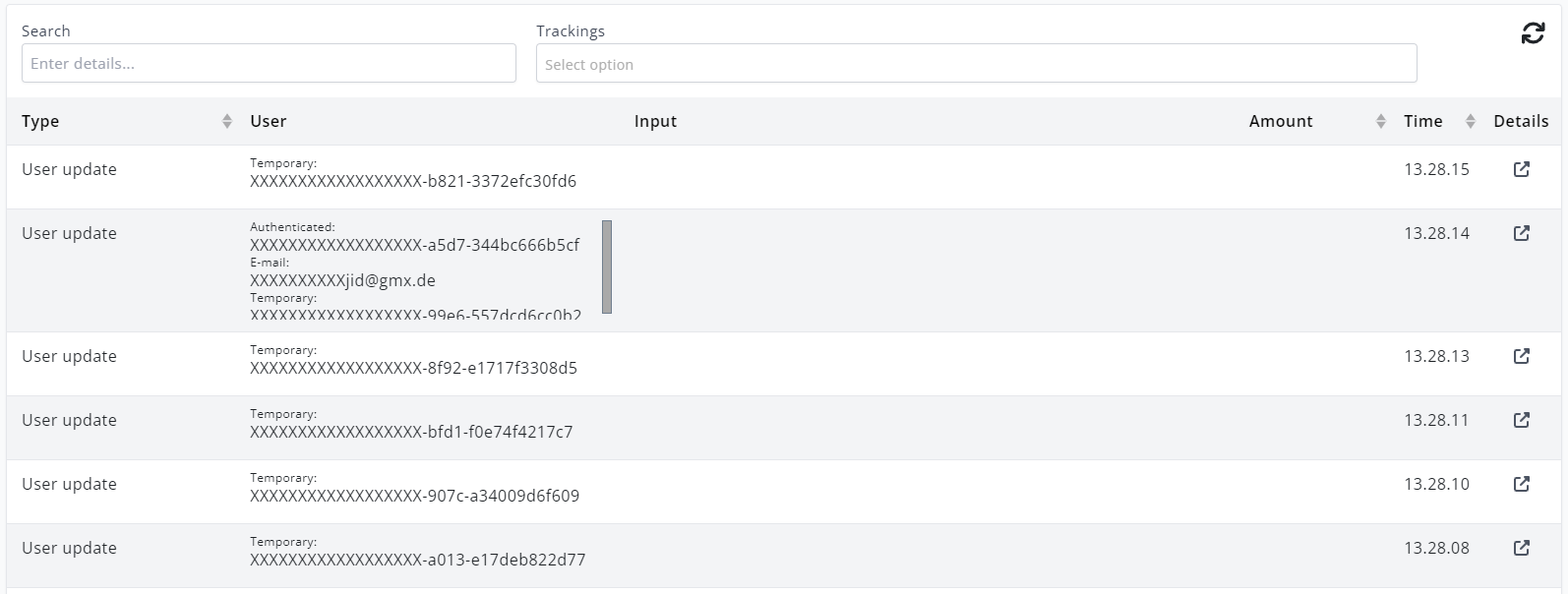
The Live View interface allows you to search for specific tracking details, as well as to filter the live view results by tracking type.
Details view
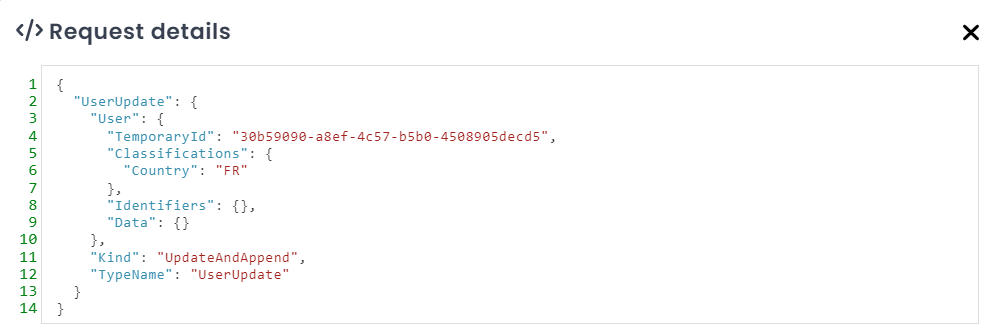
Each tracking detail can be inspected by clicking the icon to the right. The details include the actual JSON sent to Relewise, and both the list and the details can provide developers with valuable debug information during development.